

This guide will show you how to Stop Your Necesse Server From Pausing Automatically
Looking for a Necesse game server? Click here to order your server!
Running a dedicated Necesse server is ideal for groups who want a persistent world where settlements thrive, resources regenerate, and time marches on continuously. By default, however, Necesse servers are configured to automatically pause game time whenever no players are logged in. While this default behavior conserves system resources and prevents unwanted surprises, like raids occurring while everyone is offline, it can hinder server automation, crop growth, settlement productivity, and seamless 24/7 multiplayer gameplay. For server administrators seeking true persistence, disabling the auto-pause feature ensures that the world state remains active and uninterrupted regardless of player occupancy. Whether hosting locally or managing a dedicated server through a hosting provider, adjusting this setting requires modifying server startup parameters or configuration files. This guide details how to stop your Necesse server from pausing automatically, covering where to locate the auto-pause setting, how to safely update configuration files, and the key server considerations to keep in mind when keeping your world running round-the-clock.
Disabling the Automatic Pause Feature
1. Log in to your Game Control Panel and navigate to your service.
2. Before making any changes, ensure that your server is fully stopped.
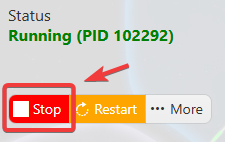
This helps prevent configuration changes from being overwritten or reverted to their default values.
3. Navigate to the Configuration Files tab to access your server’s configuration settings.
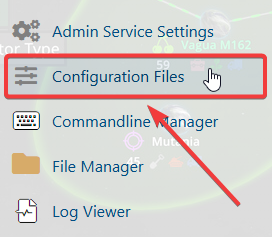
4. In the configuration files, navigate to cfg\server.cfg, then select Config Editor to open the file.

5. Locate the Pause Server When Empty setting and change the value to False.
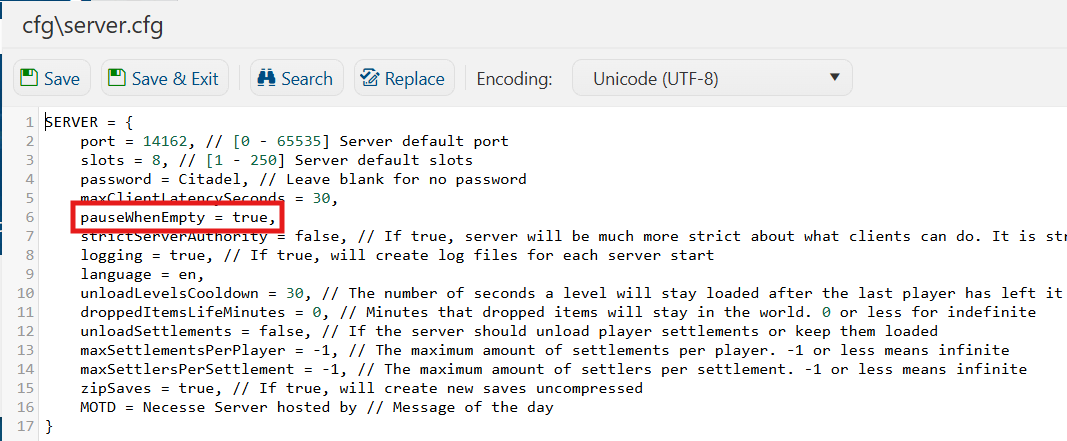
6. Once you have finished editing the settings, click the Save button to apply the changes to your server.