

This guide will show you how to Adjust Crafting Speed on your Enshrouded Server
Not a client yet? Order an Enshrouded Server today with Citadel Servers
Adjusting crafting speed on your Enshrouded server lets you customize how quickly items and resources are crafted, helping you create a gameplay experience that better suits your preferences. Whether you want to speed up crafting to reduce waiting times or maintain a more challenging pace, you can modify the appropriate server settings to achieve the desired experience. In this guide, we’ll show you how to adjust the crafting speed on your Enshrouded server.
Configuring Crafting Speed on Your Enshrouded Server
1. Log in to your Game Panel and navigate to your service.
2. Before making any modifications, stop the server from running by clicking the Stop button.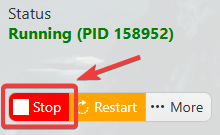
3. Navigate to the Configuration Files section.

4. Make sure the Difficulty Preset is set to Custom. This allows you to manually adjust the individual server settings, including the crafting speed.
(Note: Check the other difficulty options, as the custom preset will overwrite previous modifiers.)
5. In the Workstation Effectiveness field, enter the desired multiplier to adjust the crafting speed. This value determines the percentage of the standard production time required to complete a craft. For example, setting the value to 0.1 reduces the crafting time to 10% of the normal duration, allowing items to be crafted significantly faster.
6. After editing, click the Save button to apply the changes.

Did the above information not work for you?
Please click here to contact our support via a ticket.