
This guide will show you how to install the LuaCs Mod on your Barotrauma Server
Click here to order your Barotrauma server from Citadel Servers today!
LuaCs is a popular modding framework for Barotrauma that allows servers to run Lua-based scripts and mods, providing additional functionality and customization beyond the game's standard features. Installing LuaCs on your server gives you access to a wide range of community-created scripts and tools that can enhance the gameplay experience. In this guide, we'll walk you through the process of installing and configuring the LuaCs mod on your Barotrauma server. Whether you're setting up LuaCs for the first time or preparing your server to run Lua-based mods, these steps will help you get everything configured correctly.
(Note: Reinstall LuaCs whenever an update is released or your server has been reset to ensure the framework is properly installed and compatible with the current server configuration.)
Installing LuaCs on Your Barotrauma Server
1. Download the luacsforbarotrauma server zip file here.
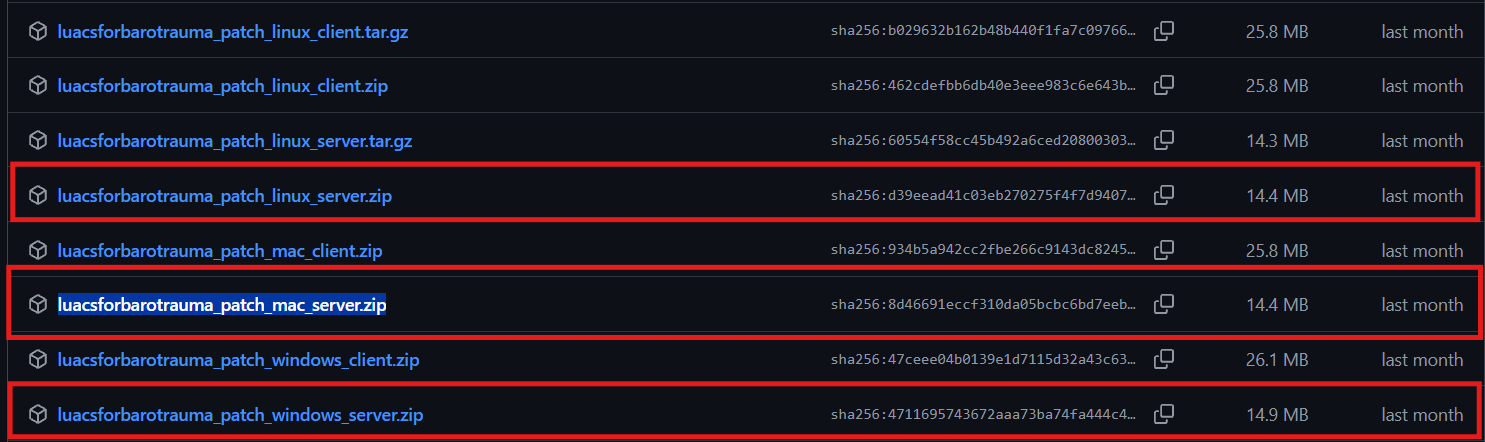
This package contains the necessary files to install the LuaCs patch on Linux, Mac or Window based Barotrauma server.
2. Log in to the Game Panel and navigate to your Barotrauma server.
3. Before making any modifications, stop the server from running by clicking the Stop button.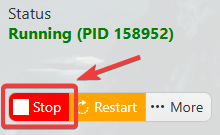
4. Navigate to the File Manager section.
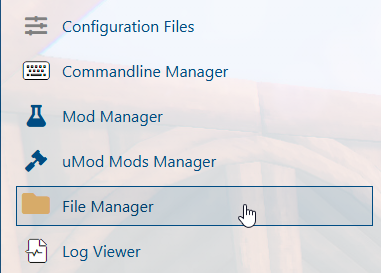
5. Upload the LuaCs patch downloaded in Step 1 to your Barotrauma server. Ensure the file is transferred to the appropriate server directory before proceeding with the installation.
For transferring files to your server, we recommend using an FTP client such as FileZilla. Using a dedicated FTP tool provides a faster and more reliable way to transfer files while helping reduce the risk of incomplete transfers or file corruption.
6. Right-click the .zip file and select Extract to unpack the LuaCs patch files. Wait for the extraction process to complete before proceeding to the next step.
7. Start your Barotrauma server to apply the LuaCs installation and load the newly added files. Allow the server to finish starting before proceeding with any further configuration.
Did the above information not work for you?
Please click here to contact our support via a ticket.