

This guide will help you learn how to Automatically Restart Your Hytale Server.
Click here to order your Hytale server with Citadel Servers today!
Keeping your Hytale server running smoothly isn’t just about gameplay; it’s also about stability and performance. Over time, servers can experience memory leaks, lag, or other technical hiccups that affect the player experience. One of the simplest ways to prevent these issues is by setting up automatic restarts. By configuring automatic restarts, you’ll maintain a healthier server environment and keep your community engaged without worrying about technical slowdowns. In this guide, we’ll cover how to enable scheduled restarts, best practices for timing them, and tips for notifying players so they’re never caught off guard.
Automatically Restarting your Hytale Server
1. Log in to your Game Control Panel and navigate to your service.
2. Before making any modifications, stop the server from running by clicking the Stop button.

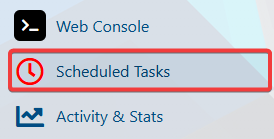
3. Navigate to the Scheduled Task Tab.
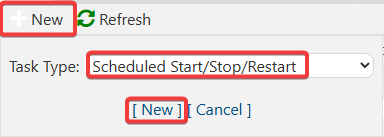
4. In the Scheduled Task tab, click the New button and choose the Stop/Start/Restart action.
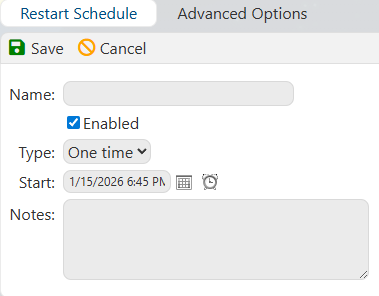
5. Once you click the New button, it will show the Restart Schedule page. Configure it based on your preferred restart schedule.
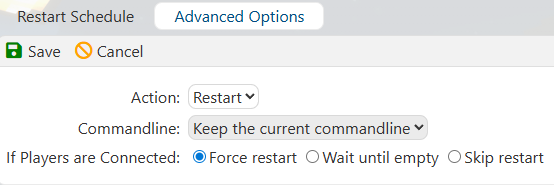
You can also click the Advanced Option for additional restart options.
6. Once you're done with configuring your restart schedule, click the Save button to apply the changes to your server.

That’s it, your Hytale server will now restart automatically according to the schedule you’ve set, ensuring optimal performance and keeping your world running seamlessly.
Did the above information not work for you?
Please click here to contact our support via a ticket.
