

This guide will walk you through the steps to install mods on your Hytale server using the Citadel Servers game panel.
Make sure to follow each step carefully to avoid any issues with your server.
Click here to order your Hytale server with Citadel Servers today!
Important Note: Always stop the server before making any changes to prevent errors or server issues.
Step-by-Step Installation Guide
Step 1: Open Your Game Panel
Log in to your Citadel Servers Game Panel.
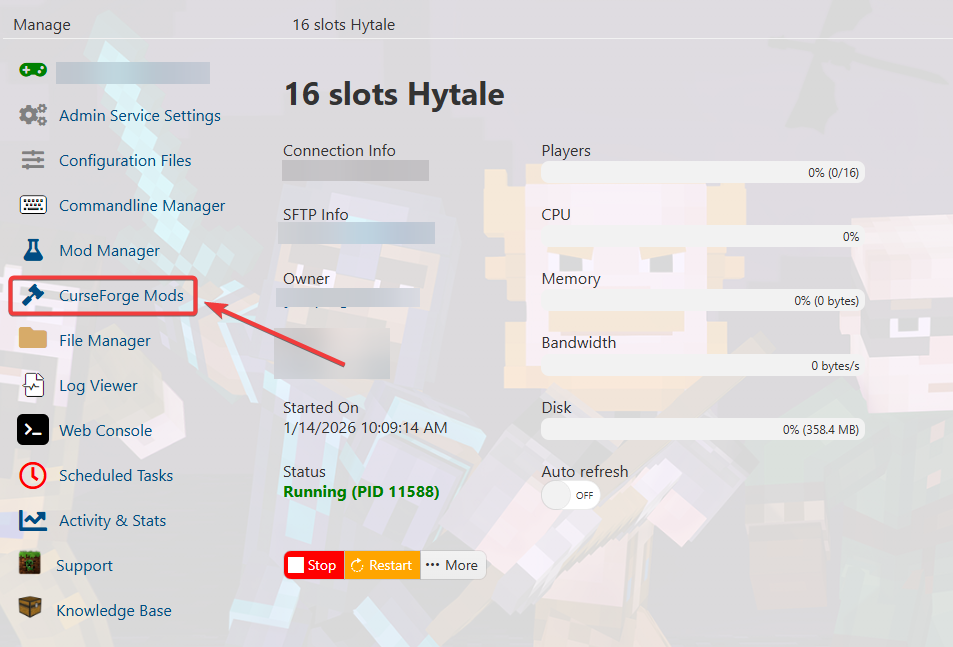
Step 2: Navigate to the CurseForge Tab
In the game panel, locate and open the CurseForge tab.
Step 3: Search and Install Mods
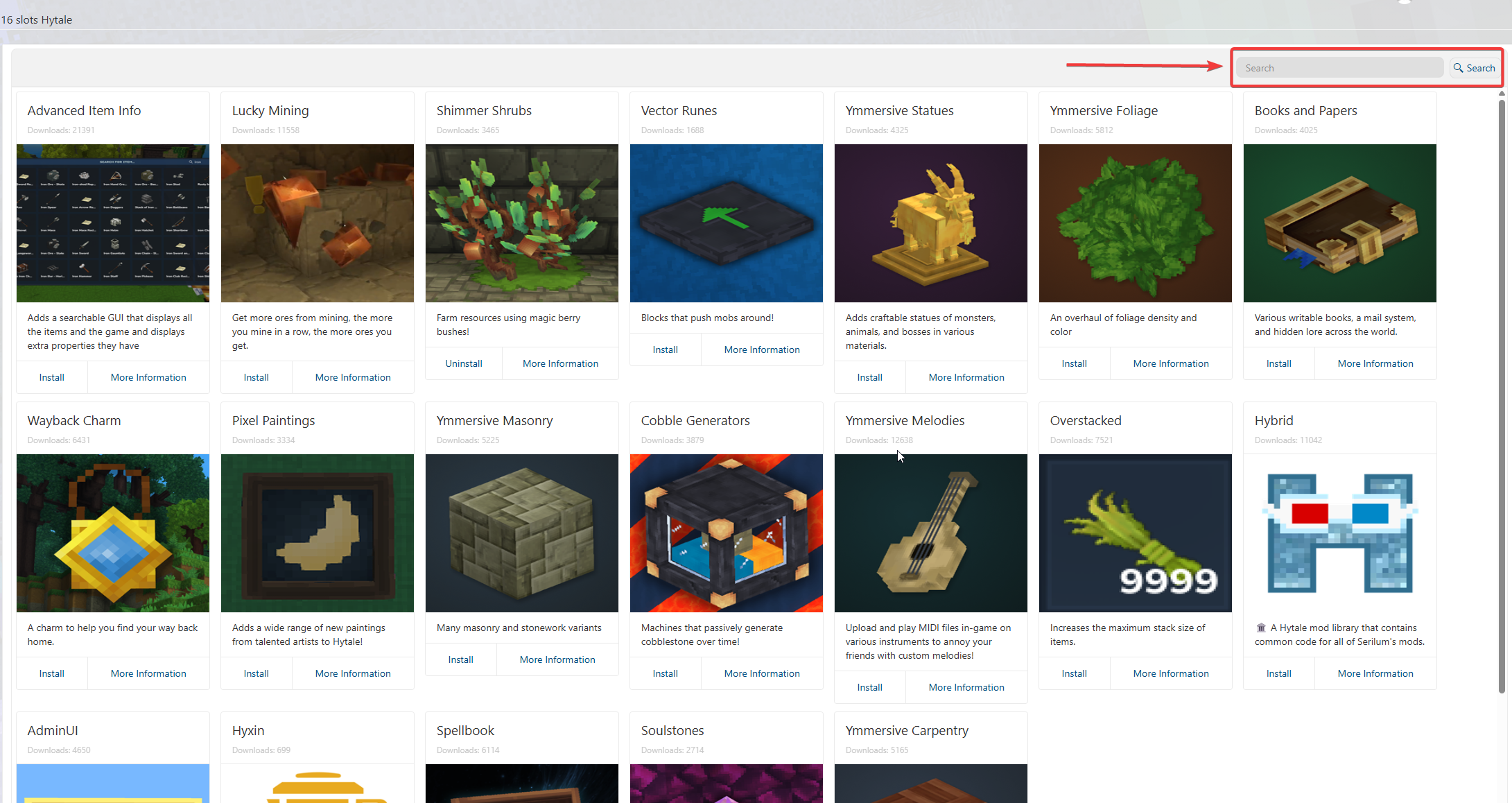
Use the search bar to find the mods you want to install.
Select the desired mods and Click Install to install the mods
Step 4: Start the Server
Once all mods are installed, start the server.

Step 5: Confirm Mods In-Game
Join your server and confirm that the mods are loaded correctly upon joining.
Did the above information not work for you?
Please click here to contact our support via a ticket.
