

Running your own ARK: Survival Ascended server is a great way to enjoy the game with friends or a community, but sometimes technical hiccups can get in the way. One of the most common issues players encounter is the Steam Update Error, which usually pops up when the server fails to apply the latest patch or synchronize properly with Steam. While this error can be frustrating, the good news is that it’s usually easy to fix once you know the right steps. In this guide, we’ll walk you through the process of troubleshooting and resolving the Steam Update Error so your server can get back online quickly. By the end, you’ll be ready to keep your ARK world running smoothly and ensure everyone can jump back into the adventure without interruptions.
How to Fix the Steam Update Error on your ARK: Survival Ascended Server
1. Log in to your Game Control Panel and navigate to your service.
2. Before making any modifications, stop the server from running by clicking the Stop button.

3. Navigate to the Steam Update Tab.
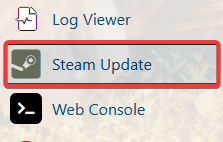
4. Once the Steam Update is running, you will see this error on the tab.
"Error! App '2430930' state is 0x6 after update job."
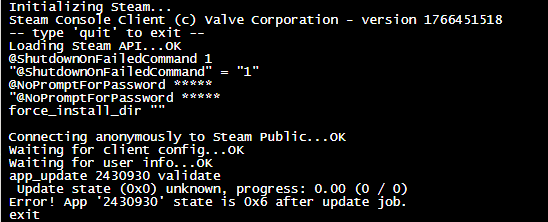
This error is preventing the server from downloading the latest patch of the game, causing the server to be unsearchable on the in-game server list.
5. To fix this error, you need to navigate to the File Manager Tab.
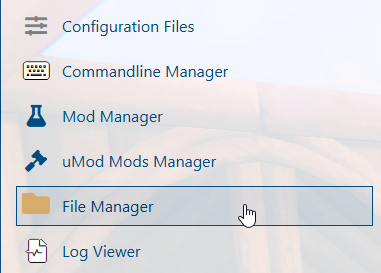
6. On the File Manager, look for the steamapps folder and delete it.
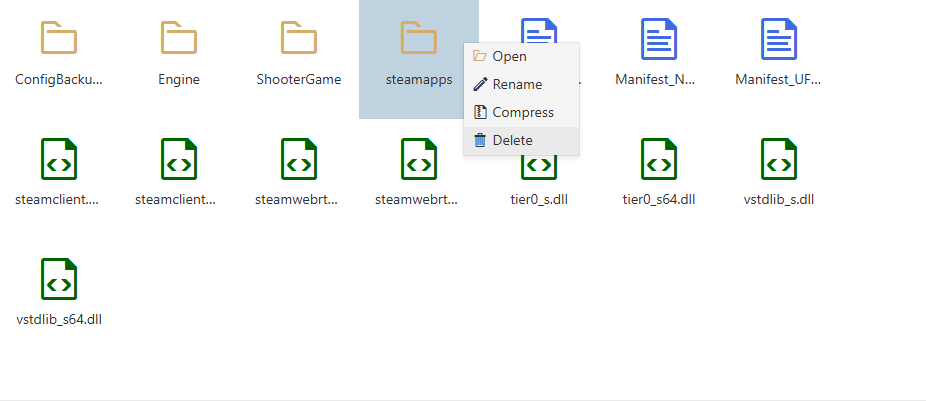
7. After deleting the Steamapps, you will need to run the Steam Update Tab again.
It will now redownload the Steam files, including the latest patch of the game.
8. After running the Steam update, you can start your server and play the game.
