

Before connecting to your private server, you can check which mods the server is running directly from the SPT Launcher.
This ensures you know what content and versions are active on the server.
Click here to order your EFT: SPT Fika Server with Citadel Servers today!
Step 1: Launch the Game
Open SPT.Launcher.exe to start the game.
Do not connect to the server yet.
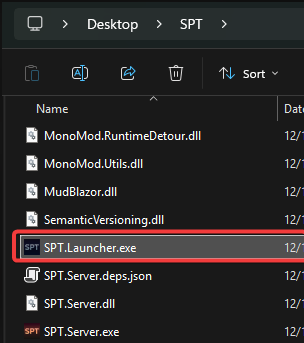
Step 2: Click “Active Server Mods”
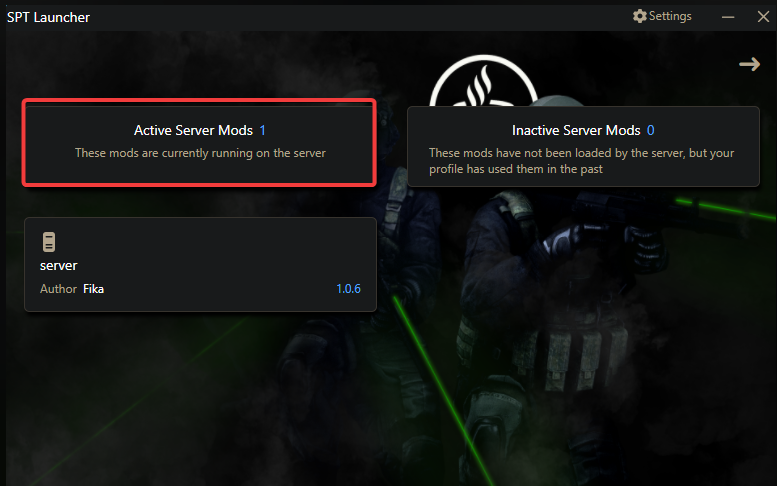
In the launcher menu, locate and click Active Server Mods.
This will display a list of all mods currently active on the server.
Step 3: Review Server Mods
Examine the list to see: Which mods are running (e.g., FIKA) and The version number of each mod
For a fresh server, only the default mods may appear.
This is helpful to verify that your server is running the correct mods and versions before joining.
Step 4: Optional: Match Local Mods
If you have additional local mods installed, compare them to the server’s active mods to ensure compatibility.
Did the above information not work for you?
Please click here to contact our support via a ticket.
