

This guide explains how to manually connect to your ARK: Survival Ascended server using the Citadel Servers game panel.
When browsing the server list in ARK: Survival Ascended, you might notice that your server appears brown and the Join button is either missing or grayed out. This issue prevents you from connecting to the server, even though it shows up in the server list.
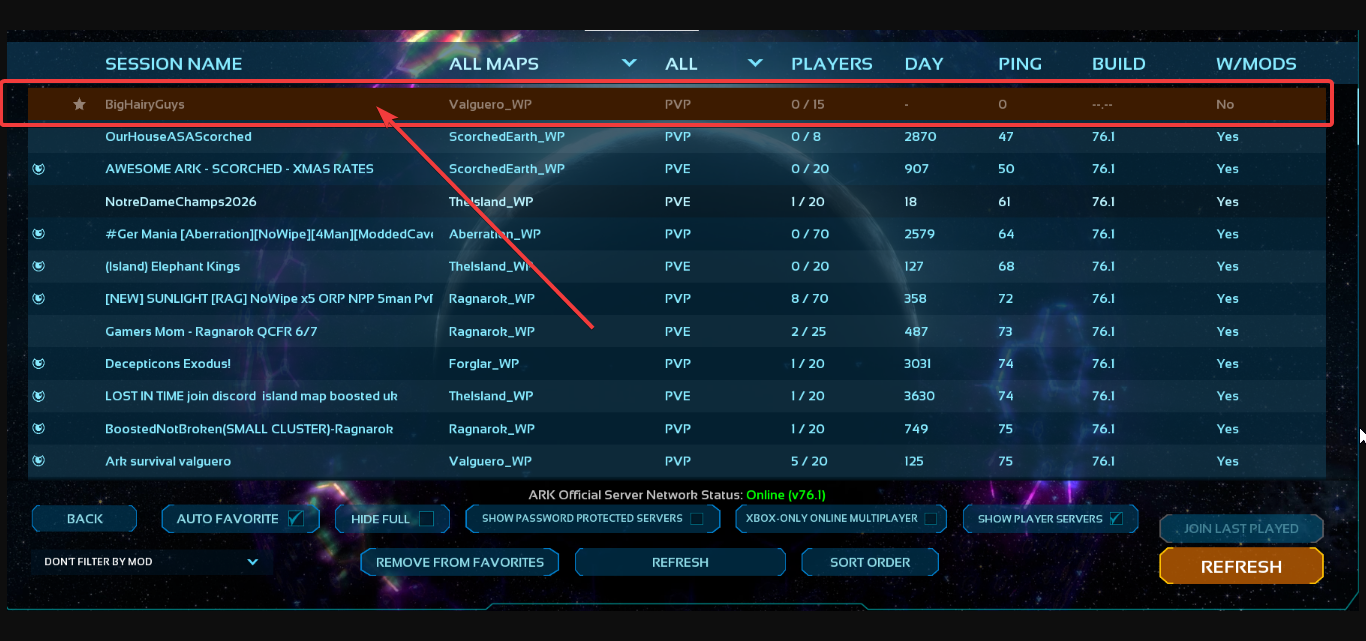
This issue occurs because the server is out of date. Its version does not match the current ARK: Survival Ascended client version. Since ARK updates frequently, clients cannot join servers that are running an older version of the game. When this happens, affected servers will appear brown in the server list and the Join button will be unavailable. This behavior is normal and simply indicates that the server needs to be updated to the latest version.
Resolution: Update the Server
1. Firstly login and open your Game Control Panel.
Click here to enter the Game Control Panel
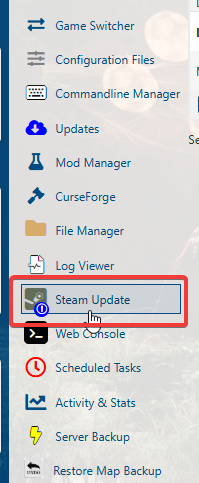
3. Click the Steam Update button to update your server.
