

This guide will help you learn how to Turn Off the In-Game Minimap for your Path of Titans Server
Click here to order your Path of Titans server with Citadel Servers today!
Customizing the gameplay experience on your Path of Titans server allows you to create an environment that better suits your community's preferences and desired level of difficulty. One way to achieve this is by adjusting the in-game minimap settings, which determine whether players can access an on-screen map to help them navigate the world, locate important areas, and keep track of their surroundings. Disabling the in-game minimap can introduce an additional layer of challenge and immersion, particularly for communities that prefer a more realistic survival experience. Without the convenience of a minimap, players will need to rely more heavily on their surroundings, environmental landmarks, and familiarity with the game world to navigate between locations. This can encourage exploration, make traveling more challenging, and create a more engaging experience for players who enjoy a less assisted gameplay environment. Whether you're running a hardcore survival server, creating a more immersive roleplaying environment, or simply looking to customize the available gameplay features, restricting minimap access can help you achieve your desired server experience. In this guide, we'll walk you through how to disable the in-game minimap on your Path of Titans server by modifying the appropriate configuration setting. We'll also explain where to locate the relevant parameter and how to adjust its value to ensure that the minimap is disabled for players connecting to your server.
Disabling the In-Game Map on Your Path of Titans Server
1. Log in to your Game Control Panel.
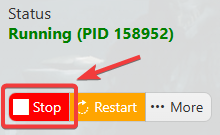
2. Before making any modifications, stop the server from running by clicking the Stop button.
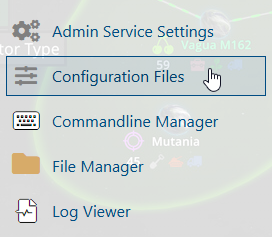
3. Navigate to Configuration Files.
4. In the Configuration Files section, locate the Game.ini file and click Text Editor to open and edit the file.

5. In the configuration file, locate the bServerAllowMinimap parameter and set its value to False to disable the in-game minimap for players on your server.
(Note: If the parameter is not present in the configuration file, you can manually add it under the [/Script/PathOfTitans.IGameMode] section.)

6. After editing, click the Save button to apply the changes.

