

This guide provides instructions on how to change the map on your ARK: Survival Ascended server to Genesis using the Citadel Servers control panel.
Using a Modded Commandline
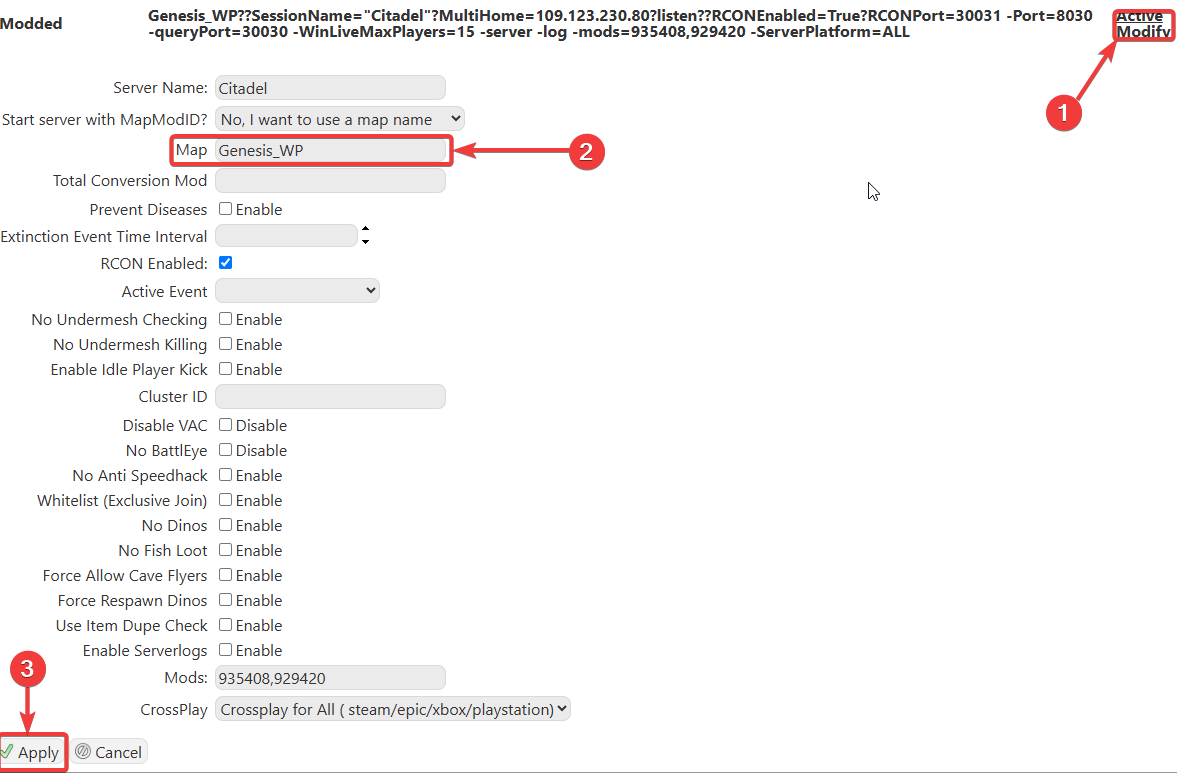
Click Modify on the Modded option. This will show
the options available, but importantly, the Map section.
the options available, but importantly, the Map section.
Enter 'Genesis_WP' to use the Genesis map on your server.
Note: We support all official maps of the game for ARK: Ascended. "_WP" needs to be added at the end for the maps to work.
Please make sure to follow proper capitalization as they are case-sensitive.
Did the above information not work for you? Please click here to contact our support via a ticket.
