
This guide will show you how to add mods to your Miscreated server.
Click here to order your Miscreated server with Citadel Servers today!
1. Log in to your Game Control Panel.
2. Open the Configuration Files. Select the Text Editor option of the hosting.cfg file.
3. Scroll down the config and find the "steam_ugc" line. Add the mod IDs to this line
If you are adding multiple mods, separate them with a comma.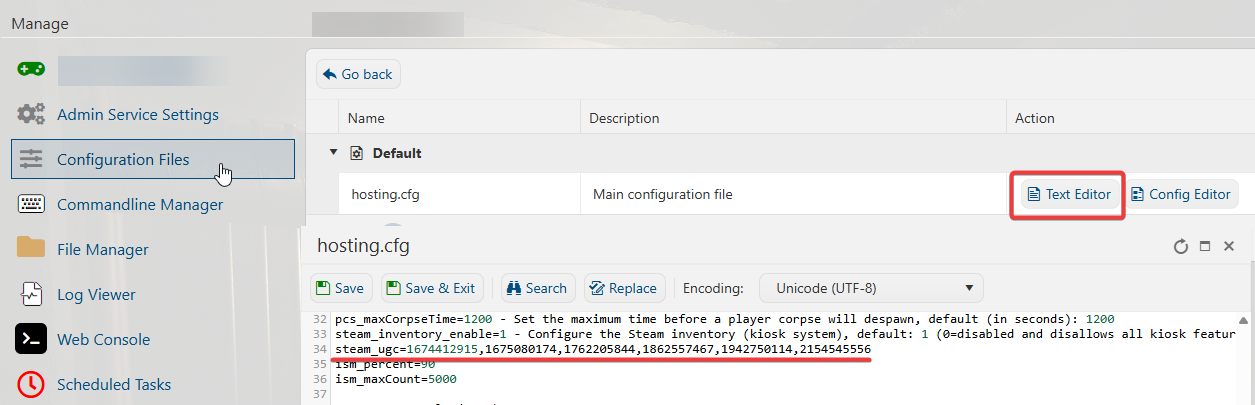
4. Click Save&Exit once you have finished adding the mod IDs from the Steam Workshop.
You can now start your server, and it will download and install the mods during boot up.
Did the above information not work for you?
Please click here to contact our support via a ticket.
