

This guide will walk you through uploading a custom world to your Core Keeper server.
Click here to order your Core Keeper server with Citadel Servers today!
Step 1: Open the folder on your PC where Core Keeper saves your local worlds.
1. Press Windows + R on your keyboard
2. Type the following and press Enter:
%USERPROFILE%\AppData\LocalLow\Pugstorm\Core Keeper\Steam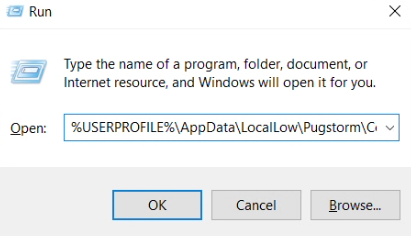
3. Open your SteamID folder (numeric folder)
4. Open the worlds folder to locate the save file you want to upload to your server, then copy it to your desktop for easier uploading.
Step 2: Uploading your World to your CoreKeeper Server.
1. Log in to your Citadel Servers Game Panel and stop your server.
2. Navigate through the File Manager tab.
3. Upload your world save files to the savedata > worlds folder.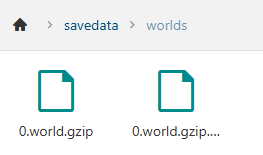
4. Save, then start your server.
Did the above information not work for you?
Please click here to contact our support via a ticket.
