

This guide will show you how to set the Maximum Players in the Runescape Dragonwilds Server.
Click here to order your Runescape DragonWilds server with Citadel Servers today!
Managing a RuneScape: Dragonwilds server isn’t just about keeping things running smoothly. It’s about shaping the kind of community and gameplay experience you want to offer. One of the most important settings you can control is the maximum number of players allowed on your server. Adjusting this limit lets you balance performance, ensure fair access, and create the right atmosphere for your world, whether you’re hosting a small group of friends or building a large-scale community. In this guide, we’ll walk through the steps to change the max player setting, explain why it matters, and help you configure your server for the best possible experience.
Adjusting Max Players on RuneScape: Dragonwilds Servers
2. Before making any modifications, stop the server from running by clicking the Stop button.

3. Navigate to the Commandline Manager section.
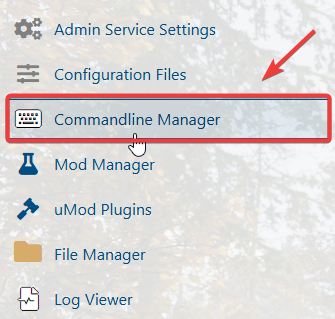
4. In the Commandline Manager, select the activated commandline, then adjust the Max Players setting to your preferred value.

(NOTE: On dedicated servers, the maximum player cap is fixed at 6, meaning you cannot increase the limit beyond this number.)
6. Start the server, the server will load with your updated configuration, including the max player cap and any other adjustments you’ve made.
Please click here to contact our support via a ticket.
