

This guide will help you learn how to Spawn Items on your Hytale Server.
Click here to order your Hytale server with Citadel Servers today!
Running your own Hytale server opens up endless possibilities for creativity, exploration, and fun. One of the most powerful tools at your disposal is the ability to spawn items directly into the game world. Whether you’re testing mechanics, setting up custom adventures, or simply giving your friends a boost, item spawning lets you take full control of the gameplay experience. In this guide, we’ll walk through the basics of how to spawn items on your Hytale server, explain the commands you’ll need, and share tips to keep everything balanced and enjoyable. By the end, you’ll be ready to customize your server with ease and unlock the full potential of Hytale’s sandbox features.
How to Spawn Items on your Hytale Server
1. Launch and join the game as an admin.
2. To enable Creative Mode for a player, enter: /gamemode creative <player>

3. Press the Tab key to open the Creative Mode inventory.
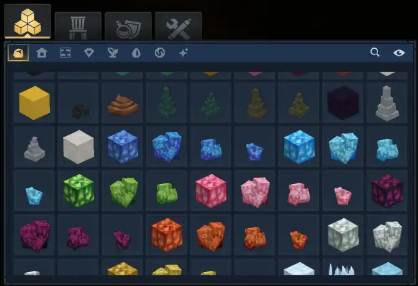
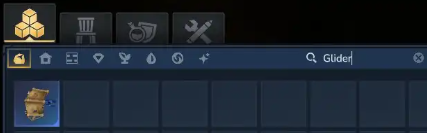
4. Use the search bar in the top‑right corner to quickly locate specific items.
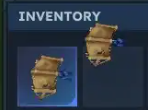
5. Drag the item you want into your inventory box.
6. To spawn an item, enter the command:
/give <player> <ItemID> --quantity <amount>
NOTE: The --quantity <amount> values are optional.
7. Replace <player>, <ItemID>, and <amount> with the actual player name, item identifier, and quantity you want to spawn.
Did the above information not work for you?
Please click here to contact our support via a ticket.
