

This guide explains how to connect to your Battle Cry of Freedom dedicated server hosted with Citadel Servers.
It covers where to find your server’s IP address and port in the control panel and how to use them to join the server through the game client quickly and easily.
Click here to order your Battle Cry of Freedom Server with Citadel Servers today!
Step 1: Access the Game Control Panel
Log in to your Game Panel and navigate to your Battle Cry of Freedom server.
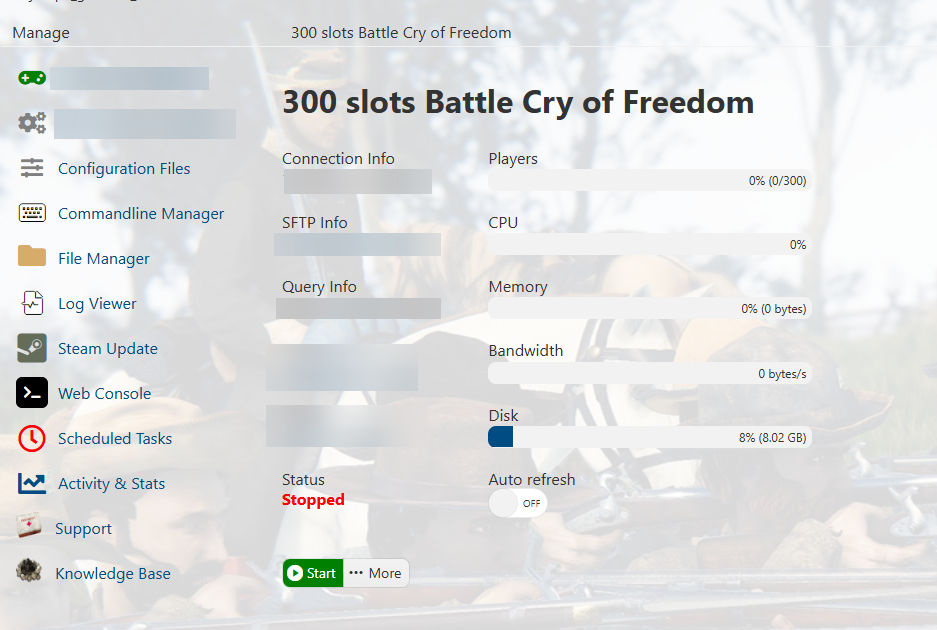
Step 2 : Copy Your Server Query Info
Find the Query Info section. Copy the IP Address and Port listed there. You’ll use them to connect to your server.
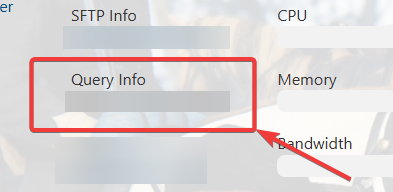
Step 3 : Open Steam Server list
Open Steam Server list on your local computer.
From the main menu, click on View and navigate Game Servers to open the Steam Server list.
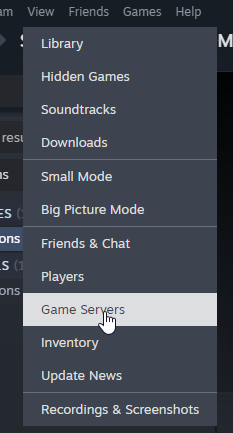
Step 4 : Adding your BCOF server to Steam Server list
Click the "+" icon on the steam server list and add the query information.
The server information will appear if the server is properly running.
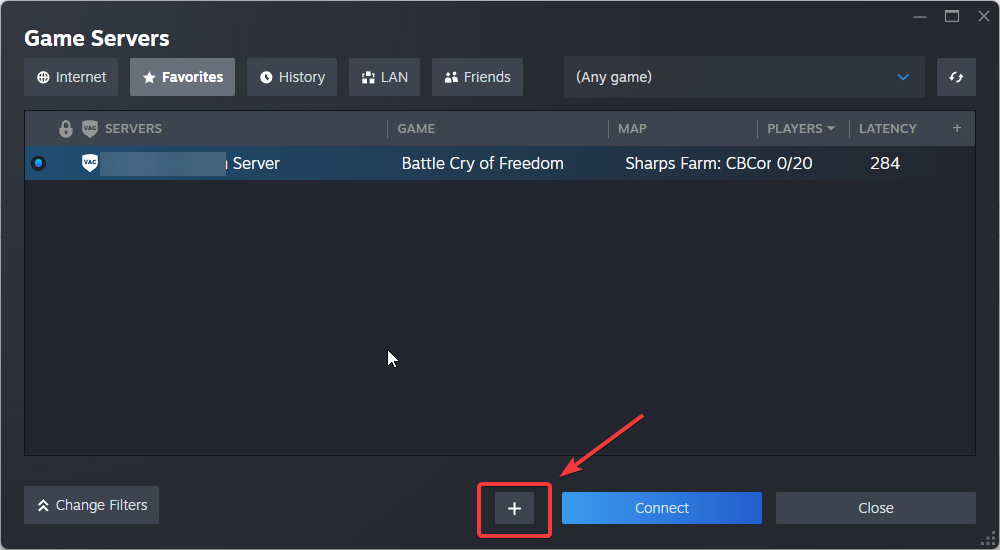
Step 5 : Connecting to your server
Click Connect to join your server. The game will automatically connect you to it.
Did the above information not work for you?
Please click here to contact our support via a ticket.
