

This guide will explain how to install the Online Map Viewer for Wurm Unlimited to your server.
This tool allows you to generate an online map of your Wurm Unlimited map that you can then display on a website.
You can view a demo of this here.
Click here to order your Wurm Unlimited server with Citadel Servers
1. Log in to your Game Control Panel.
2. Open the Mod Manager, search for the Map Viewer Compiler, and click Install.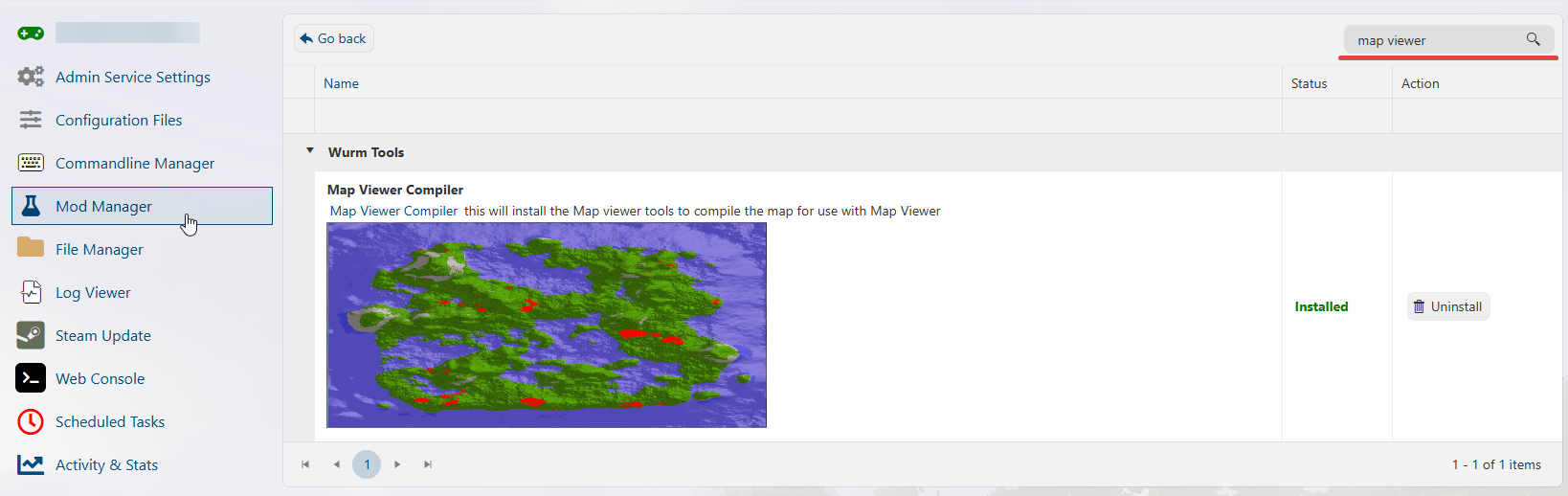
3. Once it's done installing, refresh the page for the option to compile to appear in the sidebar.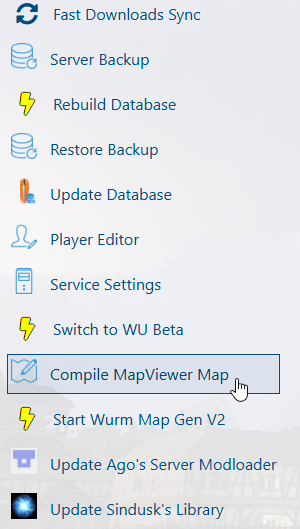
4. Click the command. It will open a progress console that will show the progress. Wait for it to say it's finished.
5. Once the previous step is finished, select and click the Fast Download Sync Command in the sidebar.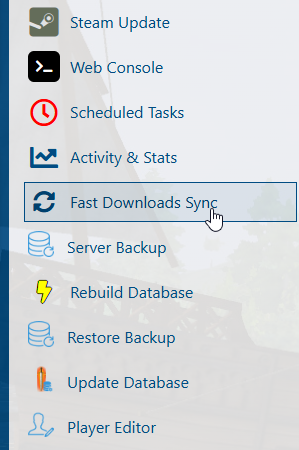
6. This will open another console that will show the progress. Wait for it to say it's finished.
7. Once that is done, you can view the compiled map by clicking your FastDL link in the Control Panel
8. This will take you to the Fast DL page, where you can get the URL of the index.html.
The index.html is the link to the interactive map. You can share the URL of this page to share the interactive map.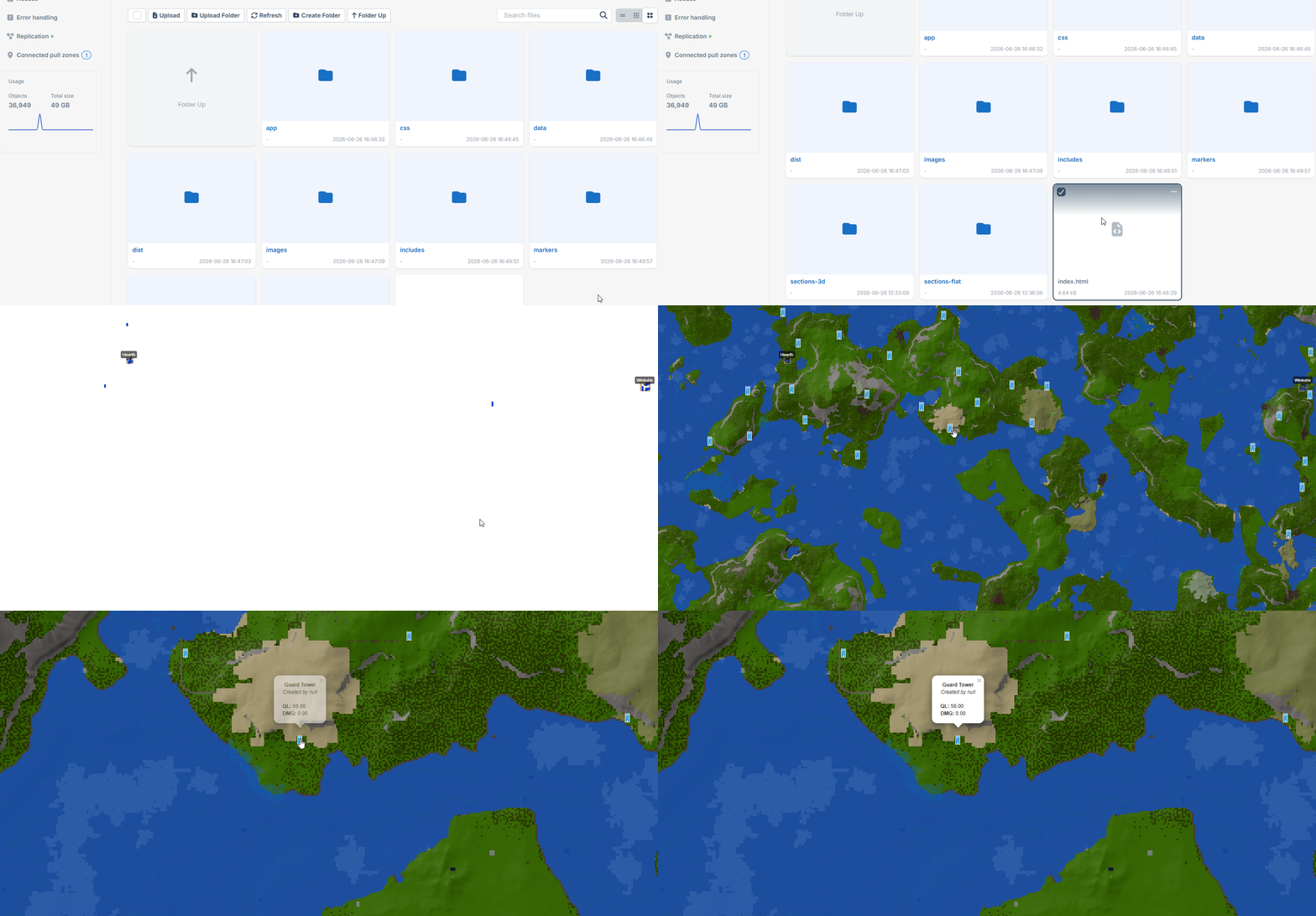
To edit the Interactive Map settings:
1. Open the Configuration Files tab.
2. Locate the mapviewer.cfg file and select "Text Editor".
3. Edit the settings you want to change, and click Save once done.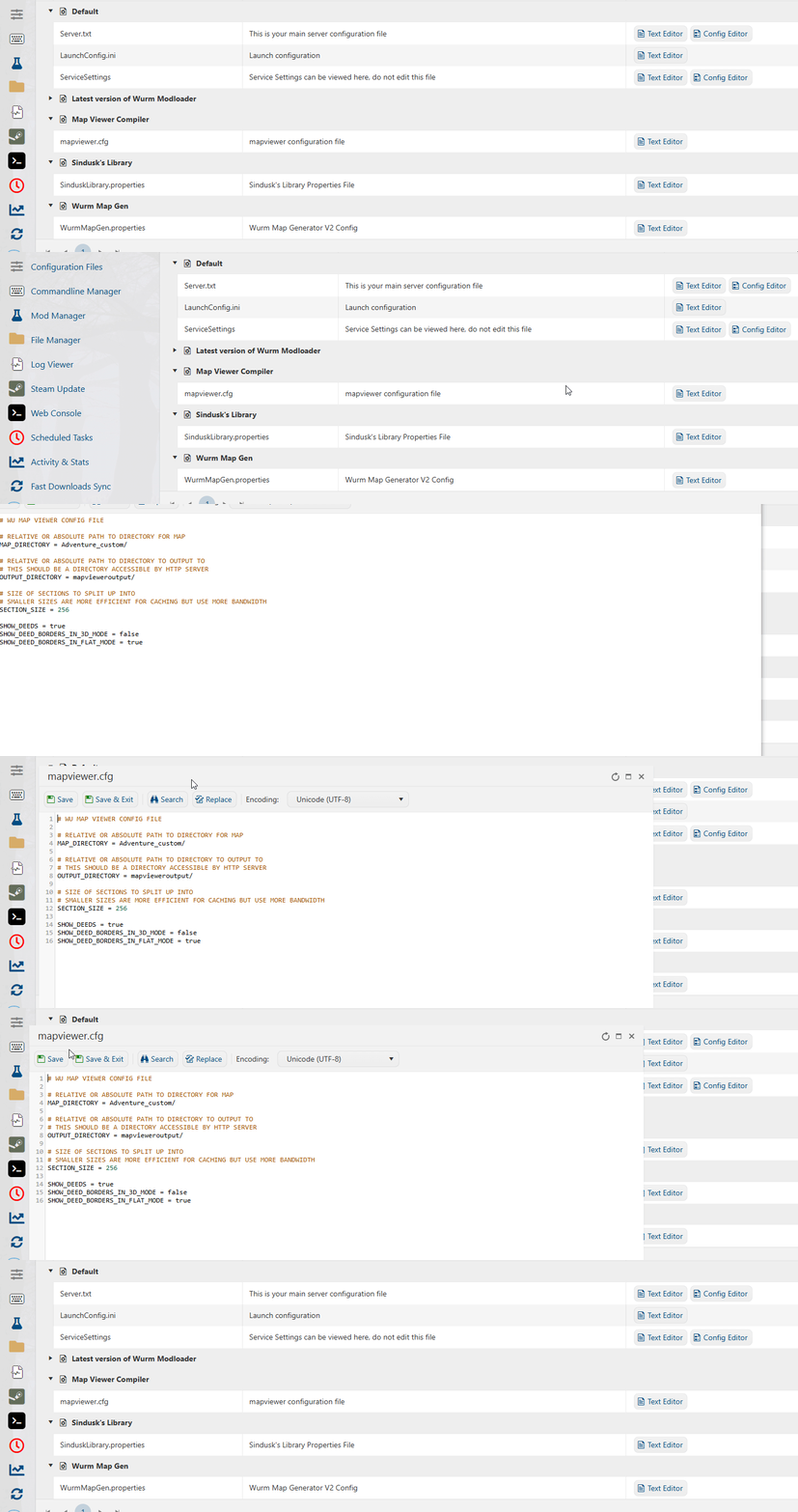
If you want the map to update daily, do this:
1. Open the Scheduled Tasks tab.
2. Select a New task. Select Compile MapViewer Map from the drop-down.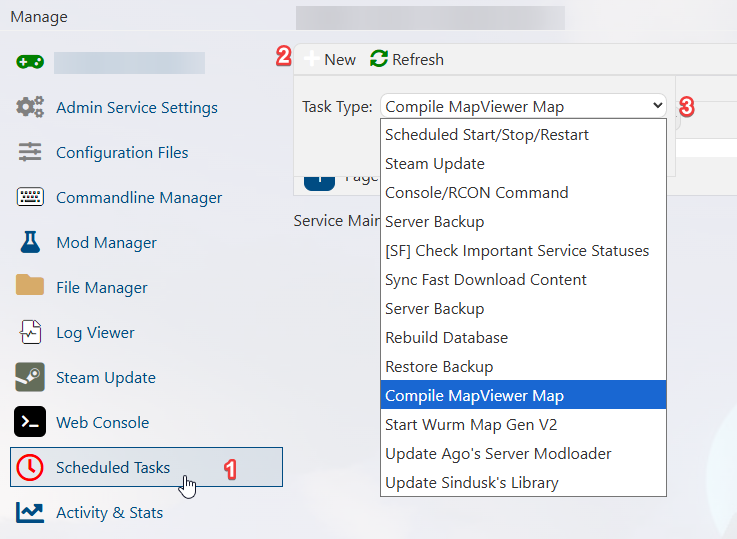
3. Click Confirm, then set up the schedule you want it to compile each day and hit Save.
Did the above information not work for you?
Please click here to contact our support via a ticket.